
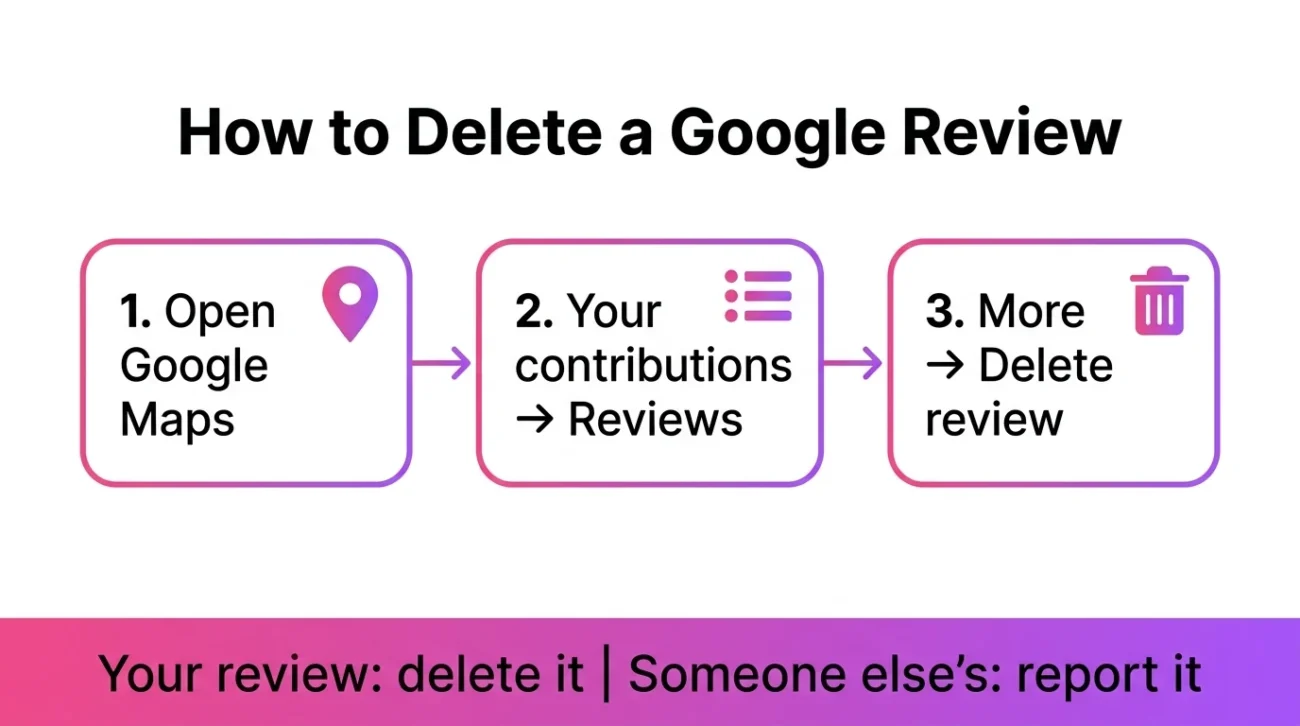
To delete a Google review you wrote, open Google Maps, go to Your contributions, choose Reviews, click More next to the review, and pick Delete review. You can’t delete a review someone else wrote. You can only report it, and Google removes it only if it breaks its review policies.
Knowing how to delete a Google review takes about a minute when the review is yours. It gets harder when the review belongs to someone else, because Google gives you no delete button for that.
Maybe you posted a rating in a rush, picked the wrong business, or changed your mind after a refund. Or you run a business and one review looks fake or unfair. The steps differ for each case, so this guide keeps them apart.
You’re in the right place if you want to remove your own review or find out what’s possible for a review on your business. It helps to see the other side first. Our guide to the Google review link shows how people reach the review box, and how to leave a review on Google covers the posting steps. If you’d rather replace your old review than lose it, write a Google review the better way. Below you’ll find exact steps for computer and phone, plus what to do when Google says no.
Can You Delete a Google Review? It Depends on Who Wrote It
The author decides everything. You can delete your own review any time. Nobody else can delete it for you, not even the business it’s about.
You wrote the review: Yes, you can delete it. Open Your contributions in Google Maps, choose Reviews, then click More and Delete review.
The review is on your business: No, you can’t delete it. Reply publicly, then report it if it breaks Google’s review policy.
You only read someone else’s review: No, you can’t delete it. Click More, then Flag as inappropriate, and pick the reason.
The review is defamatory or illegal: Not directly. Report it first, then use Google’s legal removal request if it still stays up.
How to Delete a Google Review You Wrote on a Computer
Sign in to the Google account you used to post the review. Then follow these steps:
- Open Google Maps on your computer.
- Click Menu at the top left.
- Click Your contributions, then Reviews.
- Find the review and click More next to it.
- Select Delete review and follow the on-screen steps.
Imagine you reviewed the wrong coffee shop. Open the Reviews tab, find that shop, and delete the review. It’s gone from the listing once you confirm.
How to Delete a Google Review on Android or iPhone

The phone steps are almost the same. The menu labels can shift a little between app versions.
- Open the Google Maps app and make sure you’re signed in to the right account.
- Tap Contribute, then View your profile. On some versions, tap your profile picture instead.
- Scroll and tap See all reviews, or open the Reviews tab.
- Tap More (the three dots) next to the review.
- Choose Delete review and confirm.
Can’t spot your review in the list? Check that you’re on the account you posted from. A second Google account shows a different list.
Edit Your Review Instead of Deleting It
Sometimes you don’t need to delete anything. If the problem is a typo, an old rating or a wrong photo, use Edit review from the same More menu. One catch: after you edit, the date of your last edit becomes the review’s post date. A review you fixed today will look new.
How to Delete a Google Review Someone Else Wrote

You can’t. Google says plainly that you can’t contact the reviewer or delete their review. What you can do is ask Google to remove it. Reviews come down when others mark them inaccurate or when they break Google’s review policies.
Report it from Google Maps
- Open Google Maps and find the review.
- Click More next to it, then Flag as inappropriate.
- Pick the reason that fits and submit.
Be honest about the reason. Google doesn’t remove a review just because it’s negative or stings. It has to break a rule, such as a conflict of interest, spam, or illegal content.
If you own the business
Sign in with the account tied to your Business Profile, find the review, and report it from there. Google’s help page on removing reviews from a Business Profile walks through the form. Most agencies suggest replying to the review publicly before or after you report it, so other customers see your side.
What to Do If Google Won’t Remove the Review
A rejected report isn’t always the end. Try these in order:
- Check the policy match. Reread Google’s review policy and see whether your reason really fits. A vague “this is unfair” rarely works.
- Appeal. Business owners can appeal a rejected report through Google’s review management tool.
- Reply publicly. A calm, factual reply helps future customers more than a deleted review would.
- Ask the reviewer. If the person is a real customer, a fix on your side may lead them to edit or delete their own review.
- Use the legal route for serious cases. Defamation and similar claims go through a separate legal removal request, not the normal flag.
Why You Can’t Delete a Google Review (Common Problems)
- Wrong account. The review lives on the account that posted it. Switch accounts and look again.
- It’s not your review. No delete option appears on other people’s reviews. Only Flag as inappropriate shows.
- The review was already removed. Google may have taken it down for a policy violation, and it doesn’t bring those back.
- You’re a business owner. Owner status gives you reply and report tools, not a delete button.
FAQ
Does deleting a Google review also remove my star rating?
Yes. When you delete the review, its rating no longer counts toward the place’s average.
How long does Google take to remove a reported review?
There’s no fixed timeline. Third-party guides say anywhere from a few hours to about a week, and Google doesn’t guarantee a date.
Can I write a new review after I delete my old one?
Generally yes. If you only want a better version, editing is simpler, but a fresh review is an option.
Can a company remove Google reviews for me?
No outside company can override Google’s rules. Google removes reviews only for policy violations, so be careful with anyone who promises guaranteed removal.
Conclusion
Now you know how to delete a Google review the right way. If it’s yours, open Your contributions, choose Reviews, and use More, then Delete review. If it’s someone else’s, report it and accept that Google makes the final call. Either way, a quick check of the account and the policy saves most of the frustration.


Leave a Comment