
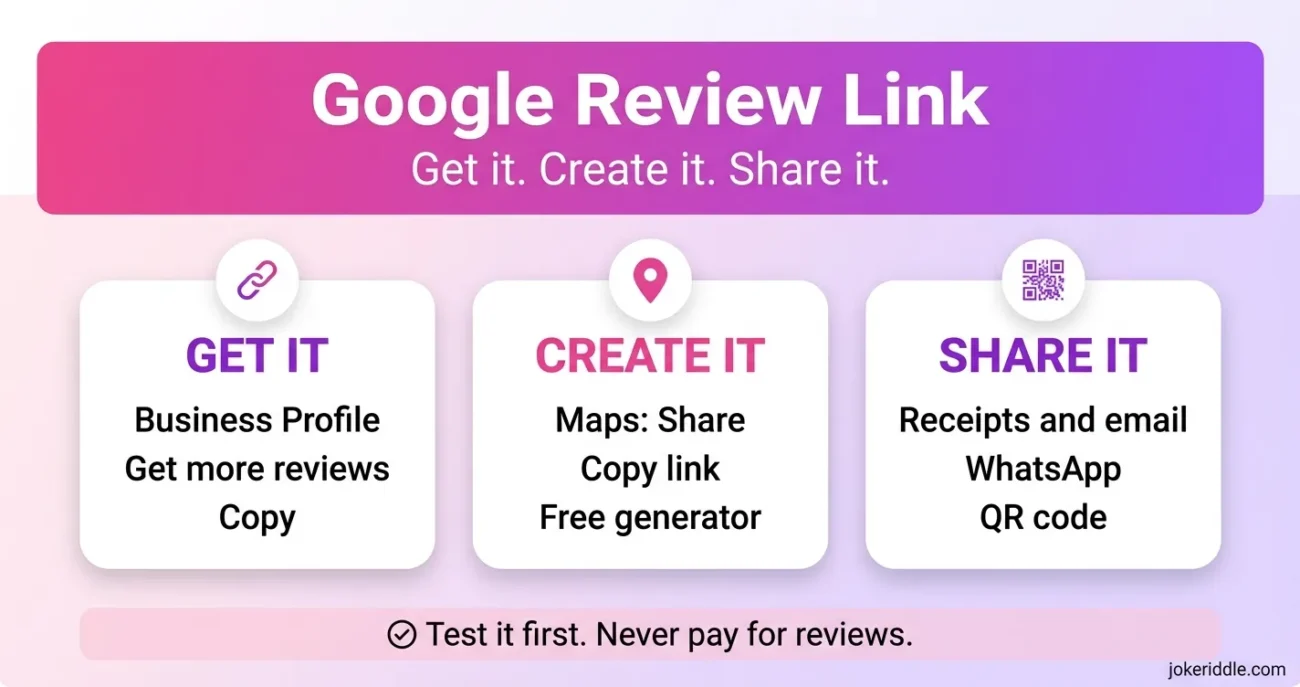
A Google review link is a direct web address that opens the review form for one business on Google. You copy it from your Business Profile or build it from a Google Maps listing. Customers tap it, sign in to a Google account, and post a rating. No searching needed.
Most people who search for this have a simple problem. Customers say they will leave a review, but they never find the listing. Or someone sent you a link, and you want to know if it is safe. This guide covers both.
Before you click or send any link, check where it leads. We follow the same habit in our Site Reviews, from Glossywise.com to Zvodeps and Team Aelftech. Below, you will get the right link in a few clicks, test it, and share it the safe way.
How to Get Your Google Review Link From Your Business Profile

This is the fastest route, and it comes straight from Google. You need to manage the Business Profile. Use a computer if you also want the QR code, because Google says QR codes can only be made in a desktop browser for now.
- Go to business.google.com and sign in with the account that manages your profile.
- Open your Business Profile.
- Select Read reviews, then Get more reviews.
- Select Copy to copy your google review link.
- To save the QR code, right-click it and choose Save image as.
Paste the link into a note right away. You will test it in a moment. Menu labels change now and then, so if you do not see these options, look for “Get more reviews” inside your profile. Google’s help page on review links and QR codes keeps the latest steps.
Make a Google Review Link Without Profile Access
You do not always control the listing. Maybe you handle marketing for a client, or the owner is slow to reply. You can still build a working link from the public Maps page.
- Find the business on Google Maps and select Share, then Copy link.
- If the link looks short, open it in a browser first. Copy the full address that loads.
- Paste that full address into a free review link generator. Whitespark, Semrush, and Hovercode all offer one.
- Copy the finished link the tool gives you.
Behind the scenes, these tools use the business’s Place ID, a unique code Google gives every listing. Some generators also accept a Place ID directly. The finished link usually follows the search.google.com/local/writereview pattern with that Place ID on the end. Only create a link for a business you really deal with. Never type your Google password into a generator, because a good one only asks for a business name or a Maps link.
Which Method Fits You Best?
| Term | Literal Meaning | Traditional Use |
|---|---|---|
| Namaste | “Bowing to you” (singular) | One-on-one greeting |
| Namaskar | “Salutation/action of bowing” | Group or general greeting |
| Namaskaram | Formal/regional variant (South India) | Respectful greeting, often to elders |
If you are unsure, start with the Business Profile method. It comes from Google, so you skip the middleman.
Share Your Google Review Link So People Use It
A link sitting in a note helps no one. Google suggests putting it on receipts, in thank-you emails, at the end of a chat, and on a printed QR code in your store. You can also send it by email, WhatsApp, or a Facebook post.
Timing matters too. Ask right after the service goes well, while the visit is fresh. Keep the message short and make the link the only thing to tap. Here is a plain template you can copy:
Thank you for choosing us. If you have a minute, tell others how it went here: [your google review link]
Send it to every customer, not just the ones who seem happy. A steady flow of honest reviews tends to earn more trust than a burst of five-star ones.
Test the Link Before You Send It
A broken link wastes the best moment to ask. So test it first:
- Open it in a private browser window, not your usual one.
- Check that the form shows the right business name and the right branch.
- Expect a sign-in prompt if you are logged out.
- Close the form without posting. A test review still counts as a real review, and Google expects reviews to reflect real visits.
Run more than one location? Create one link per location. Reusing a link sends reviews to the wrong place.
What Google Does Not Allow
Google bans reviews in exchange for rewards. Free or discounted goods and services count as fake engagement, and Google says the rule also covers changing reviews or removing negative ones. Break it, and the listing can face restrictions.
Some review tool makers also warn against sending the link only to happy customers. People call that review gating. Treat it as a risk, and send the link to every customer.
How to Spot a Fake Google Review Link

Fake links often copy the look of a real review request. A few checks take seconds:
- Its address does not lead to a Google page. Long-press or hover over the link to see where it goes first.
- The page asks for a password, card number, or one-time code. A real review form asks for stars and text.
- Someone offers money or gifts for five stars. Google bans that, and it puts the business at risk.
- Business details on the form do not match the sender.
If anything feels off, do not sign in. Google’s help center also has a page on reporting review extortion scams, which is worth knowing if a stranger threatens bad reviews unless you pay.
Google Review Link FAQ
Do customers need a Google account to use a google review link?
Yes. Google needs a signed-in account to attach the review to a person. Anyone logged out sees a sign-in prompt first.
Is a Google rating link different from a google review link?
In practice, no. Both names usually point to the same form for stars and written feedback.
Can I shorten my google review link?
You can use a URL shortener, but the short version hides the real destination. Use one you trust, and test the result.
How long until a new review shows up?
It can take a while. Google’s help center has a page on missing or delayed reviews if yours does not appear.
Can a customer edit a review after using the link?
Yes. Reviewers can edit or delete their own review from their Google account.
The Quick Version
The real problem was getting customers to your review form with no fuss. A good google review link does that. Copy it from Get more reviews on your Business Profile, or build it from the Maps listing if you do not own the profile. Test it in a private window, send it to every customer, and never pay for a review. If a link lands in your inbox instead, read where it leads before you tap.


Leave a Comment